Getting a job as an MIS Executive in India is one of the most stable and rewarding career moves you can make in data and reporting. Companies across every industry – manufacturing, FMCG, banking, IT, logistics, healthcare, and retail – all need skilled MIS professionals to manage data, build reports, and support business decisions.
But walking into that interview unprepared is a costly mistake. MIS interviews test a very specific combination of skills: Excel proficiency, data reporting knowledge, analytical thinking, and real-world problem-solving. Interviewers in India often test practical skills on the spot – they may ask you to write a formula, explain a pivot table, or walk through how you handled a data discrepancy.
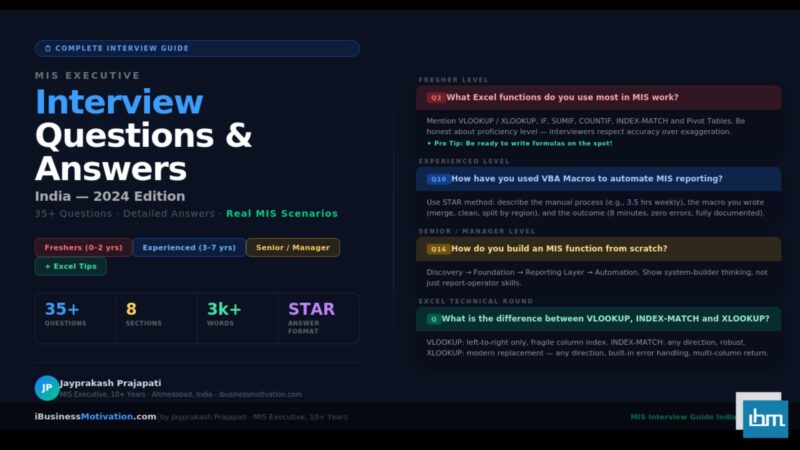
This guide compiles 35+ real MIS Executive interview questions and detailed model answers, organized by experience level – from freshers applying for their first MIS role to experienced professionals and senior MIS Managers. For every question, you get the ideal answer structure, what the interviewer is really checking, and pro tips to stand out.
What Does an MIS Executive Do in India?
MIS stands for Management Information System. An MIS Executive is a data and reporting professional who collects, organizes, analyzes, and presents business data so that management can make faster and better decisions.
In most Indian companies, the MIS Executive is the bridge between raw data and business intelligence. If the sales team needs a weekly performance report, the HR team needs an attendance dashboard, or the operations head needs a logistics summary – the MIS Executive builds and delivers it.
Responsibility Area
What It Involves
Data Collection
Gather data from multiple departments – Sales, HR, Finance, Operations
Manage file access, backups, and data confidentiality protocols
MIS Executive Salary Range in India (2024)
Experience Level
Annual CTC Range (India)
Key Skills Expected
0-1 years (Fresher)
Rs. 2.0 – 3.5 LPA
Excel basics, VLOOKUP, Pivot Tables, data entry
1-3 years (Junior MIS)
Rs. 3.0 – 5.5 LPA
Advanced Excel, XLOOKUP, dashboards, basic SQL
3-6 years (Mid-level)
Rs. 5.0 – 9.0 LPA
VBA Macros, Power BI/Tableau, process automation
6-10 years (Senior MIS)
Rs. 8.0 – 15.0 LPA
Team management, BI strategy, stakeholder reporting
10+ years (MIS Manager)
Rs. 14.0 – 25.0 LPA
Enterprise MIS, cross-functional leadership, ERP
How to Prepare for an MIS Executive Interview in India
MIS interviews in India have a consistent pattern once you understand what interviewers are really looking for. Use this preparation framework in the week before your interview.
INDEX-MATCH, nested IF, conditional formatting, data validation, charts
Day 3
Reporting & Dashboards
Pivot table slicers, dynamic charts, KPI dashboards, named ranges
Day 4
SQL & Tools Basics
SELECT, WHERE, GROUP BY, joins – and overview of Power BI or Tableau
Day 5
HR / Behavioral Round
Your achievements, a time you reduced manual work, conflict handling
Many MIS interviews in India include a live Excel test. You may be given a raw data file and asked to build a report, create a pivot table, or write specific formulas on the spot. Practice on real data files – not just theory – in the days before your interview.
MIS Interview Questions for Freshers (0-2 Years)
Tell me about yourself and why you want to work as an MIS Executive. Fresher
Answer:
Start with your educational background, then highlight any Excel or data-related coursework, projects, or internships. Connect your interest in data and reporting to the MIS role. End with your motivation – for example, you enjoy working with numbers, spotting patterns in data, and creating organized reports that help teams make decisions.
Example:
“I completed my B.Com from Gujarat University in 2023 with a focus on computer applications. During my final year, I worked on a project where I analyzed sales data for a retail business using Excel – creating pivot tables and dashboards that helped the owner understand which products were performing best. That experience made me realize I enjoy turning raw data into useful information. An MIS Executive role is exactly where I want to build my career.”
Pro Tip:
Avoid generic answers like ‘I am a hard worker who loves challenges.’ Give a specific data-related example – even from college projects or personal work.
What is MIS? What does an MIS report contain?
Fresher
Answer:
MIS stands for
Management Information System.
It refers to the systematic process of collecting, processing, and presenting data to help management make informed business decisions.
In most companies, MIS usually refers to regular business reports prepared daily, weekly, or monthly that summarize key operational data.
A typical MIS report contains:
KPIs (Key Performance Indicators) relevant to the department
Comparative data such as current period vs previous period or target
Trends and patterns shown through charts or graphs
Exception flags where performance is below target
Summary insights for quick management review
These elements help managers quickly understand business performance without analyzing large raw datasets.
Pro Tip:
Mention in interviews that MIS reports are not just raw data. They are structured summaries designed for decision-makers who may not have time to analyze large spreadsheets or raw files.
What Excel functions do you know? Which ones do you use most? Fresher
Answer:
In MIS work, Excel functions help in data analysis,
data matching, and report creation.
Common Excel functions used in MIS roles include:
VLOOKUP and XLOOKUP – used to match data between tables
IF and Nested IF – used for conditional logic
SUMIF and COUNTIF – used for conditional calculations
INDEX-MATCH – flexible lookup method
Pivot Tables – summarize large datasets quickly
Text Functions such as LEFT, RIGHT, MID, TRIM, and CONCATENATE for data cleaning
For a fresher, it is good to mention the functions you are most comfortable with and show that you are continuously learning new Excel features.
Example:
“I am most comfortable using VLOOKUP, IF, SUMIF, and Pivot Tables to analyze data.
Recently, I have also started learning XLOOKUP and INDEX-MATCH for more flexible data lookups.
I am continuously improving my Excel skills and I am confident I can quickly learn advanced tools while working as an MIS Executive.”
Pro Tip:
Never say “I know everything in Excel.” Instead, explain what you know well and what you are still learning.
Interviewers appreciate honesty and a growth mindset.
What is the difference between VLOOKUP and XLOOKUP? Fresher
Answer:
VLOOKUP (Vertical Lookup) searches a column from left to right and returns a value from a column located to the right of the lookup column.
It requires a column index number, and if new columns are inserted the formula may break. It also only works from left to right.
XLOOKUP is the modern replacement available in Excel 365 and Excel 2021.
It is more flexible and powerful than VLOOKUP.
Key advantages of XLOOKUP:
Can search left, right, up, or down
Uses direct range references instead of column numbers
Does not break when columns are inserted
Has built-in “if not found” error handling
Can return multiple columns in a single formula
Uses exact match by default, which is safer than VLOOKUP
In practice, use XLOOKUP whenever your Excel version supports it.
If you are working in older Excel versions, use INDEX-MATCH as the best alternative.
What is a Pivot Table? How do you use it in MIS reporting? Fresher
Answer:
A Pivot Table is an interactive Excel feature that summarizes large datasets into a clear and structured report without writing complex formulas.
It allows users to quickly analyze data by simply dragging fields into four main areas:
Rows – categories you want to analyze
Columns – comparison groups
Values – calculations like Sum, Count, or Average
Filters – used to filter the dataset
In MIS reporting, Pivot Tables are widely used because they make it easy to summarize and analyze large amounts of business data quickly.
Common uses in MIS reports include:
Summarizing sales by region or product
Counting employee attendance by department
Calculating total expenses by cost center
Comparing monthly or quarterly performance
A well-designed pivot table combined with slicers and charts often becomes the foundation of MIS dashboards used by managers.
Example:
For example, if you have a sales dataset containing columns such as Date, Region, Product, and Sales Amount, you can quickly create a Pivot Table to show total sales by region and product.
Managers can then instantly see which region or product category is performing best.
Pro Tip:
During an interview, if you are given an Excel file, offer to create a quick Pivot Table.
This demonstrates practical Excel confidence and shows that you can work with real business data, not just explain concepts.
What are KPIs? Give examples of KPIs you would track in an MIS report. Fresher
Answer:
KPI stands for Key Performance Indicator.
A KPI is a measurable value that shows how effectively a team or organization is achieving a specific business objective.
KPIs are the core elements of an MIS report because they help management quickly understand whether business performance is on track or needs improvement.
Common KPI examples by department include:
Sales KPIs – Monthly Revenue, Conversion Rate, Average Order Value, Sales vs Target
HR KPIs – Attrition Rate, Absenteeism Rate, Training Hours per Employee
Operations KPIs – On-Time Delivery Rate, Production Efficiency, Downtime Hours
Finance KPIs – Budget vs Actual Variance, Accounts Receivable Days, Cost per Unit
These KPIs allow management to quickly monitor business performance and identify areas that need attention.
Example:
For example, a monthly sales MIS report might include KPIs such as Total Revenue, Sales Target Achievement %, and Conversion Rate.
If the conversion rate drops compared to the previous month, the sales team can investigate the cause and adjust their strategy.
Pro Tip:
Always connect KPIs to decision-making.
For example: if the Attrition Rate KPI rises above 15%, HR management needs to investigate employee retention issues.
The MIS report helps management quickly identify such problems.
How do you handle a situation where data received from a department has errors or inconsistencies? Fresher
Answer:
Handling incorrect or inconsistent data is a common responsibility for an MIS Executive.
A structured approach usually involves four steps:
Identify the issues – Check for duplicates, blank cells, incorrect formats, or out-of-range values.
Excel tools like Remove Duplicates, Conditional Formatting, and Data Validation help detect such errors.
Document and communicate – Clearly list the errors found and send them back to the department with examples so they understand what needs correction.
Clean the data – Use Excel functions such as TRIM, PROPER, TEXT, and SUBSTITUTE for formatting issues, and tools like Remove Duplicates or COUNTIF checks for duplicate entries.
Improve the process – Create a standard data submission template or validation rules so that departments submit clean and consistent data in the future.
This approach not only fixes the current issue but also improves the overall reporting process.
Example:
For example, if the sales department submits a report where customer names contain extra spaces or inconsistent capitalization, you can use TRIM and PROPER functions to standardize the data before preparing the MIS report.
Pro Tip:
Interviewers appreciate candidates who think preventively.
Mentioning solutions such as a data submission template or a data quality checklist shows that you focus on improving the process, not just fixing individual errors.
MIS Interview Questions for Experienced Candidates (3-7 Years)
At the experienced level, interviewers expect you to discuss real scenarios from your previous jobs – specific reports you built, problems you solved, and how you improved existing processes. Generic answers will not be enough. The questions become more technical and more situational.
Walk me through the most complex MIS report you have built in your career. Experienced
Answer:
A strong way to answer this question is by using the
STAR Method:
Situation – Explain the reporting problem or business requirement.
Task – Describe what report or dashboard you needed to build.
Action – Explain the tools, Excel functions, and data sources you used.
Result – Show the measurable business impact such as time saved or improved decision-making.
Using this structure makes your answer clear, professional, and focused on real business value.
Example:
“In my previous role at a logistics company in Ahmedabad, management needed a weekly dashboard that consolidated data from five regional depots including Sales, Dispatch, Pending Orders, and Vehicle Utilization.
I built a master Excel workbook that used XLOOKUP and INDEX-MATCH to pull data from five separate department files. I then created pivot tables for regional summaries, applied conditional formatting to highlight underperforming depots in red, and added dynamic charts that updated automatically.
Before this system, the report preparation took nearly three hours every Monday. After creating a standardized template and automated formulas, the reporting process was reduced to about twelve minutes. The operations head used this dashboard every week to quickly identify which depots required operational intervention.”
Pro Tip:
The more specific and quantified your answer is, the stronger it becomes.
Always highlight measurable impact such as time saved, error reduction, or better management decisions enabled by your MIS report.
What is the difference between INDEX-MATCH and VLOOKUP? When do you use each? Experienced
Answer:
VLOOKUP and INDEX-MATCH are both Excel lookup methods used to retrieve data from tables.
VLOOKUP (Vertical Lookup) searches for a value in the first column of a table and returns a value from another column to the right.
However, it has some limitations:
The lookup column must be the leftmost column
It only searches left to right
It uses a column index number, which can break if columns are inserted or deleted
It is simpler and good for quick lookups in well-structured tables
INDEX-MATCH is a combination of two functions:
MATCH finds the position of a value in a range
INDEX returns the value from a specified position
Together they are more flexible and powerful:
Can search left, right, up, or down
Not affected by column insertions or deletions
Useful for complex or multi-criteria lookups
When to use each:
Use VLOOKUP for simple and quick lookups where the data structure is stable.
Use INDEX-MATCH when you need more flexibility, such as looking left or handling changing column structures.
If using Excel 365 or Excel 2021, prefer XLOOKUP, which replaces both functions.
The INDEX-MATCH formula allows more flexibility and will continue working even if the table structure changes.
Pro Tip:
Be prepared to write VLOOKUP, INDEX-MATCH, and XLOOKUP formulas during the interview.
Many MIS interviews include a quick live Excel test where candidates must demonstrate lookup formulas.
Explain how you have used VBA Macros in your MIS work. Experienced
Answer:
When explaining VBA experience, structure your answer around four points:
Manual process – What task was being done manually?
Automation solution – What macro you created.
Technical logic – Key VBA techniques used.
Business outcome – Time saved or efficiency improvement.
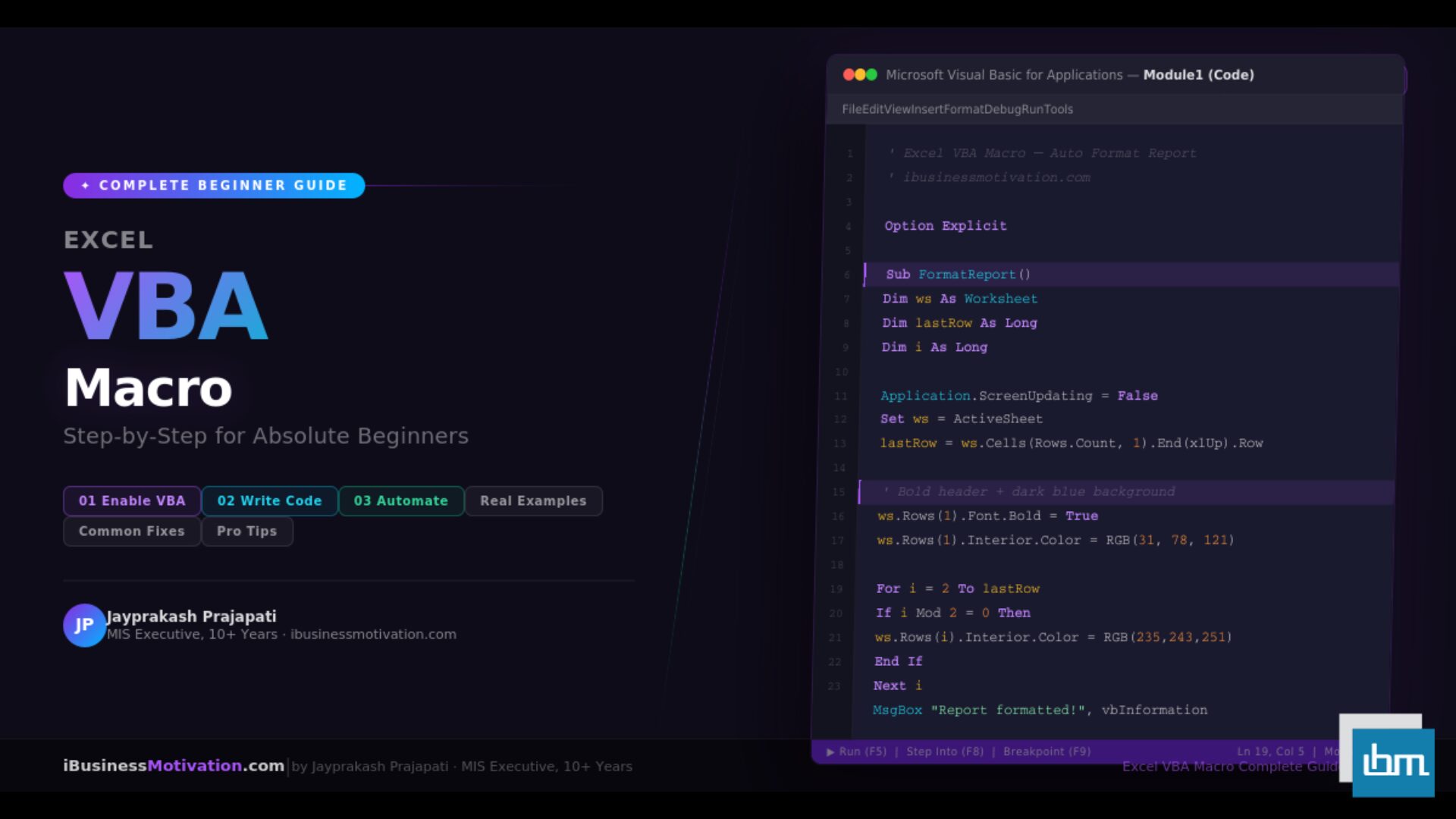
In MIS roles, VBA is commonly used to automate repetitive reporting tasks such as merging files, cleaning datasets, formatting reports, and generating department-specific summaries.
Example:
“In my previous role, our team received six department Excel files every Monday morning. The process of merging them, removing duplicates, and splitting the data by region took about 3.5 hours each week.
I created a VBA macro that automatically opened each file, copied the data into a master sheet, removed duplicate records using a CountIf-based loop, and then split the cleaned dataset into separate worksheets based on the region column.
The macro reduced the entire process from 3.5 hours to around 8 minutes. I also added an error-handling routine that alerted us if any department file was missing or could not be opened.”
Important VBA concepts often used in MIS automation include:
Sub / End Sub procedure structure
Loops such as For…Next and Do While
Range and Cells references for data manipulation
If…Then…Else conditional logic
Application.ScreenUpdating to improve performance
On Error statements for reliable error handling
Pro Tip:
If you have not used VBA in a professional environment, be honest.
Mention a personal automation project where you used VBA to simplify a task. Even a simple macro demonstrates initiative and practical learning.
What SQL queries do you use in your MIS work? Give examples. Experienced
Answer:
In many MIS roles, SQL is primarily used to extract data from company databases such as ERP systems, CRM databases, or data warehouses.
MIS executives typically focus on retrieving and summarizing data rather than performing advanced database administration.
The most commonly used SQL commands in MIS work include:
SELECT – to retrieve specific data from a table
WHERE – to filter rows based on conditions
GROUP BY – used with aggregate functions like SUM, COUNT, and AVG to summarize data
ORDER BY – to sort query results
JOIN – to combine data from multiple tables
These queries help MIS professionals quickly extract structured datasets that can then be used in Excel dashboards, reports, or BI tools.
Example:
Example SQL Query:
SELECT Department,
COUNT(EmployeeID) AS Headcount,
AVG(Salary) AS AvgSalary
FROM EmployeeData
WHERE Status = ‘Active’
GROUP BY Department
ORDER BY Headcount DESC
This query retrieves a department-wise summary showing the number of active employees and the average salary in each department.
Such aggregated data is commonly used as the data source for MIS dashboards.
Pro Tip:
Even if your daily work relies heavily on Excel, having basic SQL knowledge is a strong advantage for experienced MIS professionals.
Many organizations in India now expect MIS executives to extract data directly from databases.
How do you ensure the accuracy of an MIS report before it is sent to management? Experienced
Answer:
Ensuring report accuracy is one of the most important responsibilities of an MIS Executive.
Before sending a report to management, a structured validation process should be followed.
Key validation steps include:
Cross-validation – Confirm that totals in the MIS report match the original source files exactly.
This can be verified using SUMIF or reconciliation checks.
Trend sanity check – Compare current data with last week or last month’s numbers to detect unusual spikes or drops that may indicate an error.
Formula audit – Use Excel tools such as Show Formulas and Trace Precedents to verify complex formula chains.
Duplicate check – Run a COUNTIF scan or use Remove Duplicates before finalizing the dataset.
Manual spot check – Verify at least two or three records directly against the source data to ensure accuracy.
Second-eye review – For high-impact reports, ask a colleague to quickly review the report before sending it to management.
The main objective is to identify and correct errors before management sees the report.
Even a single incorrect number can damage the credibility of the report.
Example:
For example, while preparing a monthly sales MIS report, a quick trend comparison showed that one region’s revenue had suddenly doubled compared to the previous month. After rechecking the source file, it was discovered that a duplicate dataset had been accidentally included. Correcting the issue before submission prevented a major reporting error.
Pro Tip:
If possible, mention a real situation where your validation process caught an error before the report reached management.
Interviewers often remember candidates who demonstrate attention to detail and accountability.
What BI tools have you worked with – Power BI, Tableau, or others? Experienced
Answer:
When answering this question, be honest about your actual proficiency level with Business Intelligence tools.
If you have worked with Power BI, you can explain that you used it to:
Connect to data sources such as Excel files or SQL databases
Transform and clean data using Power Query
Create interactive dashboards with slicers and drill-through pages
Build calculated measures using DAX (Data Analysis Expressions)
Publish dashboards to Power BI Service for stakeholder access
Schedule automatic data refresh for up-to-date reports
If you have mostly worked with Excel-based MIS reports, it is perfectly fine to say so.
Many companies still rely heavily on Excel. However, you should mention that you are actively learning tools such as Power BI or Tableau through online courses or personal projects.
Example:
“In my previous role, most MIS reporting was done using Excel dashboards and pivot tables. Recently, I started learning Power BI to enhance reporting capabilities. I built a sample dashboard where Excel sales data was imported using Power Query, modeled using relationships, and visualized with slicers and charts. I am continuing to improve my skills in DAX and dashboard design.”
Pro Tip:
Never exaggerate your BI tool experience. Interviewers may immediately ask you to demonstrate it.
It is always better to combine honest experience with clear evidence of active learning.
Describe a time when you improved an existing MIS reporting process. What was the impact? Experienced
Answer:
This question is best answered using the
STAR Method:
Situation – Describe the problem in the existing reporting process.
Task – Explain what improvement you were responsible for.
Action – Describe the changes you implemented (automation, formulas, restructuring data flow).
Result – Highlight the measurable impact such as time saved, reduced errors, or improved reporting efficiency.
Interviewers want to hear four things clearly:
The problem with the existing process (manual steps, time-consuming tasks, frequent errors)
What specific improvement you implemented
The measurable impact of your change
Whether the solution is sustainable and usable by other team members
Example:
“The existing monthly HR MIS report at my previous company required manually copying data from 12 branch attendance files into one master sheet. This process took almost two full days each month and frequently produced formula errors due to repeated copy-paste.
I designed a Power Query solution that automatically pulled attendance data from a shared folder where each branch uploaded their file. The master report refreshed with a single click and updated all calculations automatically.
As a result, the process that previously took two days was reduced to about fifteen minutes. Reporting errors dropped to nearly zero, and I documented the entire workflow so that any team member could run the report independently.”
Pro Tip:
Always quantify the improvement.
Statements like “I improved the process” are weak.
But saying “2 days reduced to 15 minutes, zero errors, and fully documented for the team” clearly demonstrates real business impact.
How do you manage multiple MIS reports with different deadlines simultaneously? Experienced
Answer:
Managing multiple MIS reports requires strong time management and organization.
A structured approach usually includes the following steps:
Maintain a Reporting Calendar – Create a master schedule listing every report, its data source, due date, and recipient. This prevents last-minute surprises and helps identify deadline conflicts early.
Prioritize by Stakeholder Impact – Reports required by senior management or executives are given higher priority compared to department-level reports.
Automate Data Collection – Use tools such as Power Query, scheduled queries, or macros so reports refresh automatically. This reduces manual effort and minimizes deadline risk.
Communicate Proactively – If a department delays their data submission, inform the report recipient early instead of delivering a late report without explanation.
Use Standardized Templates – Pre-built report templates with locked formulas allow quick updates by simply refreshing or replacing the data.
This systematic process ensures that multiple reports can be delivered accurately and on time.
Example:
For instance, if I manage daily sales MIS, weekly operations reports, and monthly management dashboards, I maintain a reporting tracker that lists each report’s deadline and preparation steps. Automated Excel templates help me refresh the data quickly so I can focus on reviewing accuracy before sending the report.
Pro Tip:
Mentioning a personal reporting calendar or MIS tracker during the interview shows that you handle reporting work systematically rather than reactively. This signals strong organizational skills and senior-level readiness.
Senior MIS Executive and MIS Manager Interview Questions
At the senior and managerial level, interviewers evaluate not just technical skills but leadership, strategic thinking, stakeholder management, and the ability to build and mentor an MIS team. Your answers must reflect depth of experience and organizational impact.
How do you build an MIS function from scratch in a new organization? Senior / Manager
Answer:
Building an MIS function from scratch requires a structured and phased approach to ensure reliable data collection, reporting, and decision support.
A typical implementation can be divided into four phases:
Phase 1 – Discovery (Week 1-2)
Meet with each department head to understand the decisions they make, the data they currently use, existing reports, and the data challenges they face.
During this stage, map all available data sources across the organization.
Phase 2 – Foundation (Week 3-6)
Create standardized data collection templates for each department.
Define a data governance policy specifying who owns each dataset, the required format, and submission timelines.
Set up a centralized data repository such as a shared drive, SharePoint, or database.
Phase 3 – Reporting Layer (Week 6-12)
Build the core MIS dashboards focusing on the most critical business KPIs.
Establish a reporting calendar and define clear SLAs for each report.
Phase 4 – Automation and Scale
Identify the most time-consuming reports and automate them using tools like Power Query, VBA, or Power BI scheduled refresh.
This structured approach ensures that the MIS system is scalable, reliable, and aligned with business decision-making needs.
Example:
For example, in a growing company where each department submits Excel files manually, the first step would be to standardize reporting templates and store them in a centralized SharePoint folder.
After collecting consistent data for a few weeks, automated dashboards can be built using Power Query and Power BI so that management receives updated KPI reports without manual consolidation.
Pro Tip:
Presenting a phased implementation plan shows that you think like a system builder, not just someone who prepares reports.
This mindset differentiates senior MIS candidates from mid-level reporting professionals.
How do you handle a situation where senior management is making decisions based on incorrect data in your MIS report? Senior / Manager
Answer:
This is a high-stakes situation that tests your integrity,
communication skills, and professional responsibility.
A structured approach should include the following steps:
Verify the issue first – Before raising any concern, double-check your calculations and formulas. Confirm that the error actually exists, identify its source, and determine the correct value.
Act quickly and communicate clearly – Do not wait for the next review meeting. Inform the relevant stakeholder immediately with a concise and professional message.
Own the responsibility – Even if the incorrect data came from another department, the final MIS report is your responsibility. Accept accountability and present the corrected report.
Fix the process – Investigate how the error occurred and implement a validation step or automated check to prevent the same mistake from happening again.
Taking quick and transparent action protects the credibility of both the report and the organization.
Example:
“I identified an error in the Monthly Operations MIS report dated March 5. The dispatch performance metric was reported as 92%, but after reviewing the raw data I found that the correct value should be 84%.
I immediately verified the formulas, corrected the calculation, and sent an updated report to management explaining the source of the discrepancy. I also added a validation check in the template to automatically flag such mismatches in the future.”
Pro Tip:
Never hide or ignore a data error.
A quickly acknowledged and corrected mistake builds trust and credibility, while attempting to cover up an error can damage professional reputation far more seriously.
What is your approach to data governance and MIS data security in an organization? Senior / Manager
Answer:
Data governance refers to the policies and processes used to ensure that organizational data is
accurate, consistent, secure, and properly managed.
For an MIS function, strong data governance typically includes the following key practices:
Data Ownership – Each important dataset has a clearly defined owner responsible for maintaining its accuracy and completeness.
Access Control – MIS reports and dashboards are shared only with authorized personnel.
Sensitive information such as payroll, employee headcount, or financial data should have restricted access.
Version Control – Maintain structured naming conventions for reports such as
MIS_Sales_Weekly_2024_W23_v1, and archive older versions to avoid confusion.
Audit Trail – Maintain logs of who accessed, modified, or distributed critical MIS reports to ensure accountability.
Data Retention Policy – Define how long historical MIS data is stored and when it should be archived or deleted based on company policy and regulatory requirements.
A structured governance approach ensures that MIS reports remain reliable, secure, and trusted by management.
Example:
For example, financial MIS reports containing payroll or revenue data may only be accessible to senior management and finance leaders.
Access permissions, version control, and audit logs ensure that sensitive data is protected and traceable.
Pro Tip:
At a senior or managerial level, it is valuable to demonstrate awareness of regulatory frameworks.
Mentioning India’s Digital Personal Data Protection Act (DPDPA) 2023 shows strong awareness of modern data governance and compliance requirements.
How do you mentor junior MIS team members and build team capability? Senior / Manager
Answer:
Effective mentoring begins with individual skill assessment.
I first understand each team member’s current Excel, reporting, and data analysis capabilities, as well as their learning goals.
Then I build a structured development plan that includes:
Skill-based task assignments – Give team members tasks that stretch their abilities slightly beyond their comfort zone.
Weekly one-on-one check-ins – Short 10–15 minute meetings to review progress, remove blockers, and provide feedback.
Documented SOPs – Create standard operating procedures for recurring MIS reports so knowledge is stored in the system rather than only in one person’s memory.
Internal learning sessions – Encourage team members to share new Excel techniques, formulas, or tools they have learned with the rest of the team.
Progress tracking – Evaluate improvement through measurable outcomes such as whether they can now build reports independently or solve complex data issues without escalation.
This approach helps develop both technical capability and team confidence.
Example:
For example, I once mentored a junior analyst who initially struggled with complex Excel formulas.
I started by assigning small data-cleaning tasks and gradually introduced lookup formulas and pivot tables.
Within three months, the analyst was able to independently build monthly MIS reports and even introduced a dashboard using pivot charts.
This not only improved the team’s reporting capacity but also reduced dependency on senior team members.
Pro Tip:
At the senior interview level, always mention a real mentoring example and describe the measurable improvement in the team member’s skills.
Concrete mentorship outcomes are highly valued by hiring managers.
Technical Excel and Data Questions
These questions may come at any experience level. They are often asked as quick-fire rounds or as part of a practical test. Know these answers cold.
Question
Model Answer (Summary)
What is conditional formatting?
A feature that automatically changes cell color, font, or icon based on the cell’s value or a formula condition. Used in MIS to highlight cells below/above target, flag duplicates, or create heatmaps.
A feature that restricts what data can be entered in a cell – e.g., only dates, only numbers in a range, or a dropdown list. Used in MIS to standardize data entry across department templates.
What is the difference between COUNT, COUNTA, and COUNTIF?
COUNT counts cells with numbers only. COUNTA counts all non-empty cells (including text). COUNTIF counts cells that meet a specific condition (e.g., COUNTIF(A:A, ‘Mumbai’)).
What is Power Query?
A data transformation tool in Excel (and Power BI) that connects to data sources, cleans and reshapes data, and loads it into Excel without formulas. Essential for automating monthly data consolidation.
What is the IFERROR function?
IFERROR(value, value_if_error) – returns a custom value if the formula results in an error (like #N/A or #DIV/0!). Used to make lookup formulas more user-friendly.
Explain absolute vs. relative cell references.
Relative (A1) – changes when the formula is copied. Absolute ($A$1) – stays fixed when copied. Mixed ($A1 or A$1) – one part is fixed. Understanding this is critical for writing formulas that work correctly across a large data range.
What is a named range?
A label given to a cell or range (e.g., naming B2:B100 as ‘SalesData’) so you can reference it by name in formulas. Makes formulas more readable and easier to maintain.
Common MIS Interview Mistakes to Avoid
Common Mistakes Candidates Make in MIS Interviews
Mistake 1: Claiming to know everything
Saying things like “I know all Excel functions” or “I am an expert in Power BI” without being able to demonstrate those skills during the interview can quickly damage your credibility.
It is far better to honestly explain your current level and show a strong willingness to continue learning.
Mistake 2: Giving vague answers without numbers
Statements such as “I improved the reporting process” are too vague to impress interviewers.
Instead, give clear and measurable results like:
“The reporting process was reduced from 4 hours to 20 minutes and the error rate dropped to zero.”
Quantified achievements make your experience credible and memorable.
Mistake 3: Not preparing for a live Excel test
Many MIS interviews in India include a practical Excel test.
Candidates who only study theory but do not practice on real Excel files often struggle during this round.
Build a habit of working with real datasets in the days leading up to your interview.
Mistake 4: Focusing only on tools, not on business impact
Interviewers are not simply hiring someone who knows Excel.
They are hiring someone who can help the business make better decisions using data.
Always explain how your reports or dashboards improved decision-making or operational efficiency.
Mistake 5: Not asking questions at the end
When interviewers ask “Do you have any questions for us?”, always ask at least one thoughtful question.
This shows curiosity and genuine interest in the role.
Example Questions You Can Ask:
“What does a typical MIS reporting cycle look like in your organization?”
“What is the biggest data challenge your MIS team is currently facing?”
Last-Day Interview Preparation Checklist
The day before your MIS Executive interview, go through this checklist:
Category
Checklist Item
Done?
Excel
Can write VLOOKUP, XLOOKUP, INDEX-MATCH from memory
Excel
Can build a pivot table and add a slicer in under 5 minutes
Excel
Know SUMIF, COUNTIF, IFERROR, IF nested formulas
Excel
Practiced conditional formatting and data validation
Knowledge
Can explain what MIS is and list 5 KPIs per department
Knowledge
Prepared 2-3 specific examples from past experience (STAR format)
Knowledge
Know basic SQL: SELECT, WHERE, GROUP BY, simple JOIN
Behavior
Prepared answer to ‘Tell me about yourself’ (under 90 seconds)
Behavior
Prepared answer to ‘What is your biggest professional achievement?’
Behavior
Have 2 thoughtful questions ready to ask the interviewer
Logistics
Resume printed, updated, and verified for accuracy
Logistics
Portfolio of sample reports or dashboards ready to show (if any)
Final Words: Own Your MIS Interview
An MIS Executive interview in India is not just testing whether you can write a VLOOKUP – it is testing whether you can be trusted with an organization’s most important asset: its data. The candidates who succeed are those who can speak confidently about real scenarios, demonstrate practical skills under pressure, and connect their technical work to business outcomes.
Use this guide to prepare your answers, practice on real Excel files, and walk into that interview knowing that your skills and experience are worth exactly what you are asking for.
Free Tools at ibusinessmotivation.com For hands-on MIS practice, visit ibusinessmotivation.com for free browser-based tools: Multiple Excel File Merger, Excel Data Cleaner, and Excel Worksheet Split Tool – the same tools used in real MIS workflows across India. No installation, no sign-up required.
Excel Data Specialist | 20+ Free & Premium Excel Tools | Ahmedabad, India
I help accountants, HR teams, and small business owners
fix data errors, clean large Excel files, and eliminate costly manual
rework - without formulas, VBA, or technical complexity.
I design browser-based Excel tools used by professionals across India
to process data accurately, generate error-free reports, and save hours
every week. Every tool is built from real workplace problems - tested,
verified, and ready to use in seconds.
🔒 No data stored | ✅ 7-Day Money Back Guarantee
| 📍 Ahmedabad, India
My Story |
🛠️ Free Excel Tools |
👑 Premium Plans |
💼 Hire Me