



Process Large Excel Files Safely
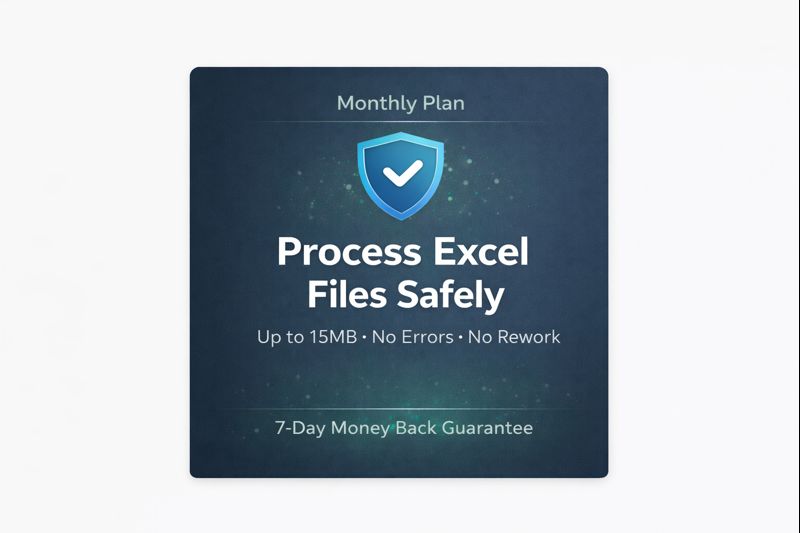
Premium access lets you safely process large Excel files without errors,
crashes, or rework.
- Large Excel files often cause hidden errors and broken formulas
- Premium processing ensures accuracy when mistakes are costly
- This plan is built for professionals who can’t afford Excel errors
7-Day Money Back Guarantee:
If our tools don’t work as described for your file, we’ll refund.

Chanda Devi –
I recently purchased the 1 Month Premium Access – All 18+ Tools, and I’m genuinely impressed with the quality and performance of every tool included. Each tool is designed with professional accuracy, clean dashboards, and smooth automation features.
The 15MB upload limit is more than enough for day-to-day business files, and the tools run fast without any lag. Most importantly, these tools have made my work faster, easier, and more efficient – especially when handling reports, sales data, and automation tasks.
I highly recommend this premium access to anyone who wants to save time, automate their work, and boost productivity. This is definitely one of the best investments for Excel users!
Kirtiraj Dodiya –
I tried the free tools first and was impressed with how easy they were to use. Later upgraded to the premium plan for larger files, and it works smoothly without any issues.
The tools save a lot of manual effort, especially for merging and cleaning Excel data. Pricing is fair, and the no auto-renewal policy is a big plus.
Good option for regular Excel users.
Ishwarlal Sharma –
I’ve been using these Excel tools for my daily work, and they are genuinely helpful. The interface is simple and files process smoothly without errors.
The free version is good for small tasks, and the premium plan works well for larger files up to 15MB. Pricing is reasonable, and I like that there is no auto-renewal.
Overall, a reliable solution for anyone who works regularly with Excel files.
Asha Tomar –
As an Accounts Executive at Reliance Retail Ltd., I handle invoices and payment reports daily. The tool that impressed me the most is the Number to Words Converter. It saves a lot of time while preparing cheque formats and financial documents where amounts need to be written in words.
Earlier, we used to manually type amounts in words, and small mistakes were common. With this tool, the output is accurate and instant. It has reduced errors in our documentation process.
I also appreciate that the premium version handles larger files smoothly without slowing down. For finance and accounts professionals, this is definitely a practical and time-saving solution.
Nitin Parihar –
As a Senior Executive handling MIS and reporting at Tata Consultancy Services (TCS), I regularly work with large Excel datasets. These tools have helped simplify tasks like file merging, data comparison, and sheet splitting.
The premium version processes larger files smoothly without errors, which saves significant time during monthly reporting. The interface is straightforward and doesn’t require technical expertise.
Pricing is reasonable, and the no auto-renewal policy adds transparency. A practical solution for professionals who work extensively with Excel.
Anjali Brahmaniya –
As an MIS Executive at HDFC Bank Ltd., I opted for the monthly premium plan to test the tools in a real working environment before committing long-term.
Since I handle multiple Excel reports every week, I needed support for larger files beyond the 2MB free limit. The 15MB monthly plan worked perfectly for my requirements. File comparison, data cleaning, and sheet merging tasks became significantly faster.
What I appreciated most is the flexibility – no auto-renewal and no hidden charges. It allowed me to try the premium features without long-term commitment.
For professionals who want to test premium functionality without directly purchasing a yearly plan, the monthly option is a practical and risk-free choice.
Janki Vaghela –
I started with the free version to understand how the tools work. For small Excel files, it performs well and gives accurate results.
Later, I upgraded to the premium plan because most of my working files are larger than 5MB. The 15MB upload limit is practical for regular office use. Tools like data comparison, file merging, and cleaning have reduced manual effort in my daily tasks.
The platform is simple to use and does not require technical knowledge. Also, the no auto-renewal policy makes it feel transparent and safe to try.
Overall, it’s a useful solution for anyone who works frequently with Excel files and wants to save time.
Rajesh Rawal –
I’ve been working with Excel for a long time and usually avoid online tools because many of them either limit features too much or don’t give accurate results. I first tried the free version just to see how it performs. The processing was quick, and the output was clean and properly structured, which honestly surprised me.
After testing, I upgraded to the premium plan because most of my files are larger than 2MB. Since then, I’ve been using multiple tools regularly for comparison, merging, cleaning, and formatting tasks. It has reduced manual errors and saved me a lot of working hours.
What makes it trustworthy for me is the transparency. There are no hidden charges, no forced auto-renewals, and the tools simply do what they promise. It feels built for people who genuinely work with Excel daily, not just for casual use.
Manish Upadhyay –
As an Operations Executive at Wipro Ltd., I work extensively with Excel reports for daily tracking and reconciliation. I initially tested the free version of these tools to evaluate performance and accuracy. The results were quick and reliable for smaller files, which encouraged me to explore further.
Since most of my working files are larger than 2MB, I upgraded to the premium plan. The ability to process files up to 15MB without splitting them manually has made a noticeable difference in my workflow. Tasks like data comparison, merging, and cleaning are now much faster and more structured.
What I appreciate most is the simplicity and transparency. There are no hidden charges, and the tools perform consistently without technical complications. For professionals who depend heavily on Excel, this feels like a practical and dependable solution.
Shahil Shaikh –
As a Business Reporting Executive at Accenture, Excel is a major part of my daily workflow. I handle multiple data files that require frequent comparison, formatting, and consolidation.
I initially explored the free version to understand the accuracy and speed. It performed well for smaller files, so I moved to the premium plan since most of my working sheets exceed 5–8MB. The 15MB file support makes processing smooth without breaking files into smaller parts.
What stands out is consistency. The tools generate clean outputs, and I haven’t faced crashes or formatting issues so far. It has noticeably reduced the time spent on repetitive Excel tasks.
For professionals managing regular reporting work, this platform offers a practical and reliable solution.
Mohsin Mansuri –
As a Senior MIS Executive at Larsen & Toubro (L&T), I work with large Excel datasets on a daily basis for reporting and reconciliation.
I initially tried the free version to evaluate performance. It worked smoothly for smaller files, so I decided to upgrade to the premium plan because most of our operational files are above 5MB. The 15MB upload support makes processing seamless without splitting files.
Tools like Data Comparison and Harmonizer have significantly reduced manual effort and checking time. What used to take hours now gets completed much faster with accurate results.
The platform is simple, stable, and transparent in pricing. For professionals handling regular Excel reporting work, it’s a dependable and time-saving solution.
Mayudinkhan Pathan –
As a Finance Executive at Adani Wilmar Ltd., I regularly prepare consolidated sales and reconciliation reports from multiple Excel sheets.
The tool that helped me the most is the Multi-Sheet Data Consolidator. Earlier, combining data from different sheets into one structured master file used to take significant manual effort and checking time. There were always risks of missing rows or formula errors.
After testing the free version for smaller files, I upgraded to the premium plan because most of our working files are larger than 5MB. With the 15MB support, I can now consolidate multiple sheets in just a few minutes without breaking files apart.
The output is clean, properly aligned, and ready for reporting. It has reduced manual errors and improved reporting speed during month-end closing.
For professionals handling multi-sheet Excel reports, this tool is genuinely practical and reliable.
Rajesh Tilala –
As a Sales Operations Executive at Asian Paints Ltd., I regularly receive regional sales reports in different Excel formats. Standardizing and cleaning this data used to take a significant amount of manual effort.
The tool that helped me the most is the Excel Data Cleaner. It automatically removes unwanted spaces, duplicates, and formatting inconsistencies, which earlier required manual formulas and repeated checks.
I first tried the free version to understand how accurate it was. After seeing consistent results, I upgraded to the premium plan because most of my files are above 5MB. The 15MB support allows me to process full datasets without splitting them.
The tool is simple, stable, and saves a lot of time during weekly reporting cycles. For anyone working in operations or sales reporting, it’s a very practical solution.
Nikunj Joshi –
As a Senior Accounts Executive at Mahindra & Mahindra Ltd., I regularly work with vendor reconciliation and large Excel-based financial reports.
The tool that has been most useful for me is the Excel Data Comparison tool. Earlier, comparing two large ledgers manually or through formulas was time-consuming and risky, especially during month-end closing. Even a small mismatch could take hours to trace.
I first tested the free version with smaller files to verify accuracy. The comparison report was clear and easy to understand. After that, I upgraded to the premium yearly plan because most of my working files are above 5MB.
With 15MB support, I can now compare full datasets without splitting them. The time saved during reconciliation is significant, and it reduces manual checking errors.
Overall, it’s a reliable tool for finance professionals who handle frequent data verification tasks.
Keyur Desai –
As a Reporting Executive at ITC Limited, I regularly receive Excel reports from different departments, and the biggest challenge is standardizing them into one uniform format.
The Harmonizer (Report Standardize) Tool has been extremely helpful in this process. Earlier, aligning columns, correcting headers, and matching formats used to take several hours, especially when files came from multiple sources with different structures.
I first tested the free version to check how accurately it aligns the data. After seeing the results, I upgraded to the premium plan because most of my reports are above 5MB.
Now, multiple files can be standardized quickly without manual formatting. The output is clean and consistent, which makes final reporting much easier.
For anyone handling reports from different teams or branches, this tool makes the standardization process simple and efficient.
Nikunj Bariya –
I’m not from any company – just a regular Excel lover who works with data daily.
Payment process was easy, and I received my login details without hassle. The tools are simple to use and save a lot of time. For someone who handles Excel files regularly, this feels very practical and worth it.
Jigar Kapadiya –
Started with the free version, upgraded later. Very smooth experience.
Files process quickly, reports are accurate, and the interface is simple. Saves time on daily Excel tasks without any complications.
Totally worth it for regular Excel users.
Mehul Patel –
As a Reporting Manager, I constantly review consolidated Excel files from multiple team members. Accuracy and time efficiency are critical in my role.
After testing the free version, I moved to the premium plan to handle larger reports. The tools have helped streamline comparison, consolidation, and formatting tasks without manual rework.
It has improved reporting turnaround time and reduced dependency on complex formulas. A dependable solution for managerial-level Excel work.